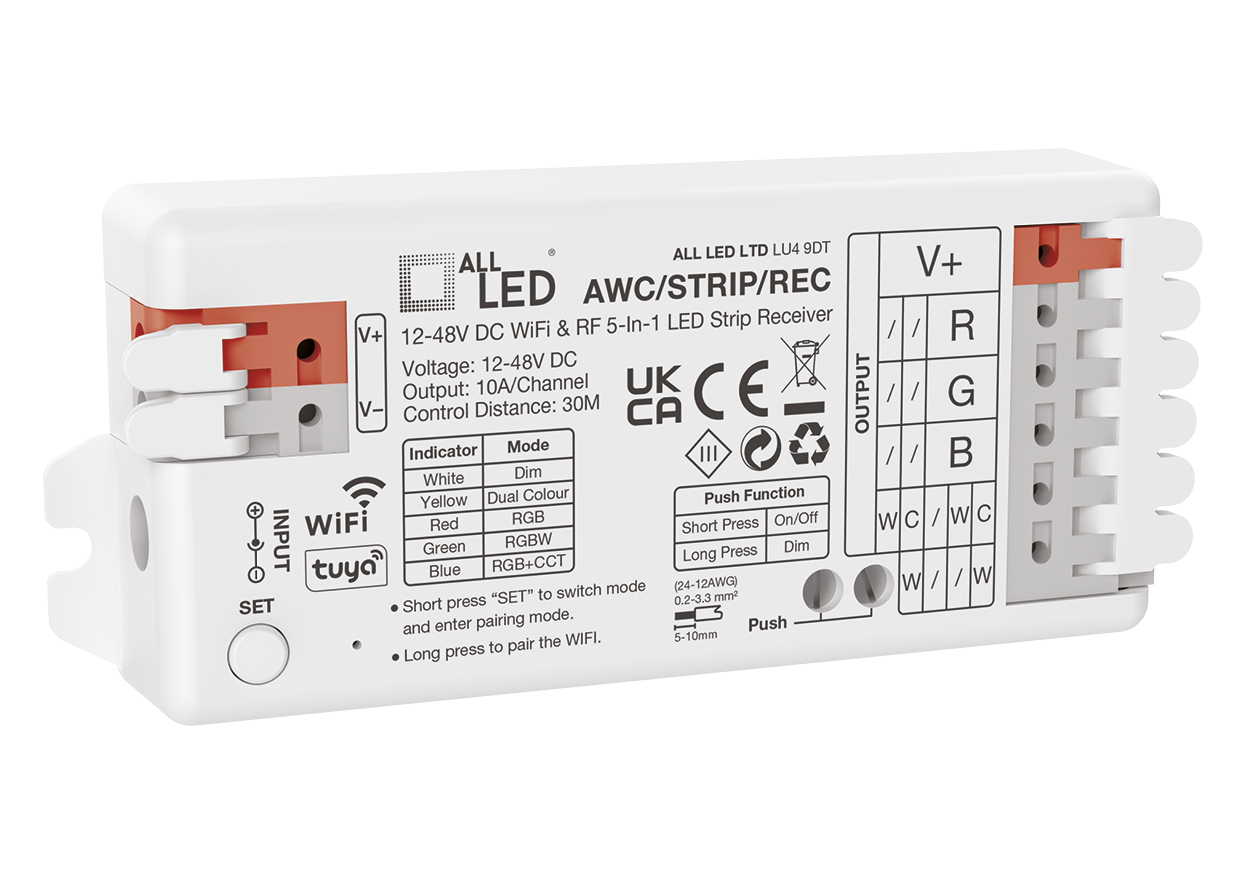
ALL LED AWC/STRIP/REC Receiver
Want to control your LED strip from your phone, use a wireless remote or dim the lights from a wall switch? The ALL LED AWC/STRIP/REC Receiver brings these options together in one compact controller. Part of the StripLink+ range, it works with compatible constant-voltage LED strips and can be configured for single-colour, tunable white (CCT), RGB, RGBW or RGBCCT lighting. One receiver can therefore suit several different styles of installation, from simple under-cabinet lighting to colour-changing features.
How does this LED strip receiver work?
The receiver sits between a suitable 12–48V DC power supply and the LED strip. The power supply delivers the low-voltage power; the receiver adjusts its outputs to control the strip’s brightness and, where supported by the connected strip, its colour or colour temperature. It is a controller, not a mains-powered LED driver, so a compatible DC power supply is required separately.
After installation, choose the required operating mode for your strip. The receiver supports five common strip types: single-colour white, CCT (warm-to-cool white), RGB, RGBW and RGBCCT. This allows you to select the controls that make sense for the lighting effect you actually want, without buying five different receiver models.
Choose how you control your lighting
- Phone or tablet: connect via Wi-Fi and use the Tuya Smart app to adjust supported lighting settings, colours and scenes.
- Voice commands: compatible with Amazon Alexa and Google Assistant when the relevant Tuya integration is configured and an appropriate network is available.
- Wireless RF control: pair a compatible AWC/4Z/RMT remote or AWC/4Z/WS wall station (optional accessories, sold separately) for convenient control without opening the app.
- Retractive wall switch: the push-dim input allows a suitable momentary switch to provide simple on/off control with a short press and dimming with a long press.
What else do you need?
To make a working system, order (1) a compatible 12V, 24V or 48V constant-voltage LED strip of the required type; (2) a matching DC LED power supply with enough capacity for the connected strip; and (3) this StripLink+ receiver. For convenient local control, you can also add the compatible RF remote or wall station, or connect a suitable retractive switch. Choose suitable cable, connectors and an installation method for the location. The LED strip, driver, optional controls and wiring accessories are not described as included with this receiver.
Compatibility note: this is a conventional five-channel constant-voltage strip receiver. It is not the ASC/PX/REC SPI pixel receiver and should not be substituted for the addressable AST12PX/RGB or AST12PX/IP/RGB Pro-Digital strips.
Key features
- StripLink+ 5-in-1 receiver for single-colour, CCT, RGB, RGBW and RGBCCT strips.
- 12–48V DC operating input; wireless Wi-Fi and RF control options.
- Tuya Smart app operation, with Alexa and Google Assistant voice-control support.
- Push-dim input for a compatible retractive wall switch.
- Supports optional four-zone RF remote and wall station controls.
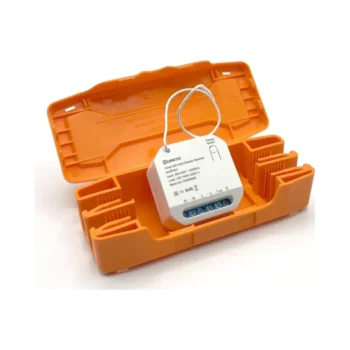
- Compact 95 × 45 × 17mm housing; IP20 rating for suitable indoor locations.
- Three-year manufacturer guarantee.
Technical specifications – ALL LED AWC/STRIP/REC Receiver
| Manufacturer | ALL LED |
|---|---|
| Product code | AWC/STRIP/REC |
| Range | StripLink+ |
| Receiver type | 5-in-1 constant-voltage LED strip receiver |
| Compatible strip types | Single colour, CCT, RGB, RGBW, RGBCCT |
| Operating voltage | 12–48V DC |
| Maximum channel current | 10A/channel (manufacturer specification) |
| Manufacturer capacity at 12V | 240W/channel |
| Manufacturer capacity at 24V | 480W/channel |
| Manufacturer capacity at 48V | 768W/channel |
| Standby power | <0.5W |
| Control | Tuya Wi-Fi, optional RF control, push-dim |
| Dimensions | 95 × 45 × 17mm |
| Ingress protection | IP20 |
| Electrical class | Class III |
| Material | Polymer |
| Ambient operating temperature | -30°C to +60°C |
| Guarantee | 3 years |
Capacity figures above are reproduced from the manufacturer datasheet; the connected strip, individual output limits, wiring and power supply must all be checked against the complete manufacturer instructions before installation.
Getting started and pairing
- Plan the strip and driver: choose the correct voltage and calculate the total strip wattage, then select a suitable DC supply with adequate headroom.
- Install and wire safely: isolate power before working on the equipment. Wire the DC input and the appropriate receiver outputs for the selected strip type according to the ALL LED installation diagram.
- Select the operating mode: use the receiver’s SET control. The manual identifies the indicator colours as white for single colour, yellow for CCT, red for RGB, green for RGBW and blue for RGBCCT. A purple indication may mean a detection error and requires checking the wiring and mode.
- Connect the app: install Tuya Smart, put the receiver into pairing mode by holding SET for approximately five seconds until the light flashes, and follow the app’s Add Device flow on a suitable Wi-Fi network.
- Pair an optional RF remote: put the receiver into pairing mode using one of the methods described in the manual, then press the chosen remote zone button three times within three seconds. Three slow flashes indicate successful pairing. To unpair, repeat the pairing-mode entry and press the zone button five times; ten fast flashes indicate successful unpairing.
For multi-zone arrangements, the manual explains that a receiver can be assigned to one zone on a given remote, while a zone can operate multiple receivers together. This makes it practical to group compatible runs around a room or create separate lighting areas.
Before you order
If you already have a standard single-colour or colour-changing constant-voltage strip, check its operating voltage, channel arrangement and power demand against this receiver. If you’re starting a new installation, selecting the strip, matching driver and preferred control method together is the easiest way to avoid incompatible components. The ALL LED AWC/STRIP/REC Receiver offers a flexible starting point for a system that can be controlled by phone now and expanded with a compatible remote or wall station later.
Always consult the supplied installation instructions. Installation and electrical connections must be carried out by a competent person in accordance with the applicable requirements.
Complete Your Lighting Installation
Build a complete StripLink+ setup with a compatible LED strip, a correctly rated power supply and the appropriate receiver or RF control accessory. Browse ALL LED strip lights and ALL LED drivers for the rest of your installation.
If you are comparing different dimming and control arrangements, see our LED strip controllers range. The StripLink+ system must not be confused with addressable SPI pixel controls.
Complete Your StripLink+ System
Combine the receiver with a compatible control and strip. A correctly rated DC power supply is also required for the installation.
- matching four-zone RF remote (AWC/4Z/RMT)
- matching four-zone RF wall station (AWC/4Z/WS)
- 3000K single-colour 24V COB strip (AST05/COB/30)